

Table of Contents
A Wi-Fi connection can make a dash cam easier to use after a crash or traffic stop. It lets you review and transfer clips without removing the memory card. It does not tell you whether the camera captured a readable plate, kept the correct file, or continued recording while the car was parked.
That distinction matters because “WiFi Dash Cam Pro” appears across changing product listings rather than identifying one stable model with one verified specification sheet. This guide explains how to evaluate the current offer instead of relying on a model name alone.
 Featured current option
Start with a documented Wi-Fi value candidate
DashOne Pro's seller describes phone access and front and rear coverage. The October 9, 2026 campaign listed one unit at $39.99, while independent road testing remained limited.
Featured current option
Start with a documented Wi-Fi value candidate
DashOne Pro's seller describes phone access and front and rear coverage. The October 9, 2026 campaign listed one unit at $39.99, while independent road testing remained limited.
What Wi-Fi actually adds to a dash cam
A Wi-Fi dash cam usually creates a short-range connection between the camera and a phone. The companion app may let you preview the view, change settings, review recordings, and save selected clips.
This connection is different from cellular service. Ordinary Wi-Fi does not automatically upload every recording to the cloud while you drive. Your phone may need to disconnect from its normal internet connection while it talks to the camera.
Before buying, check the app name, its current iOS or Android compatibility, and whether recent users can export the original video file. An app that only plays a compressed preview may not preserve the detail you need.
Five checks that matter more than the product name
1. Confirm the exact video specification
Look for the recorded resolution and frame rate, not only words such as “HD” or “night vision.” Ask for an unedited daytime file and an unedited nighttime file from the exact unit.
Wide viewing angles can capture more context, but they can also spread the available pixels across a larger scene. A claimed field of view does not prove that a moving license plate will remain readable.
2. Check the storage requirements
Confirm whether a microSD card comes in the box. Check the supported capacity, required speed class, and recommended endurance rating.
Loop recording overwrites older footage when the card fills. After an incident, lock or export the relevant file immediately and verify that the copy plays on another device.
3. Understand parking-mode power
A product page may advertise motion or impact detection without explaining how the camera receives power after the ignition turns off. Some vehicle sockets lose power immediately. Others remain live and can drain the battery.
Ask whether parking mode requires a hardwire kit, whether that kit includes low-voltage protection, and whether installation should be handled by a professional. Do not assume that a built-in battery can provide overnight surveillance.
4. Test the phone workflow before the return window closes
Pair the camera, find a clip, download it, and open the downloaded file. Repeat the test after turning the vehicle off and back on.
Save the current product page, checkout total, package contents, and return terms before ordering. Those records help if the listing or bundle changes later.
5. Separate video from audio recording
A forward-facing camera records a public road. Its microphone may also record a private conversation inside the car. Those two functions can raise different legal questions.
Review the current recording law in every state where you drive before enabling audio.
How DashOne Pro and CamHandy fit this category
DashOne Pro is the stronger documented value proposition in the current comparison. The U.S. offer reviewed on October 9, 2026 listed one unit at $39.99. The seller describes dual front and rear coverage, Wi-Fi phone access, loop recording, and motion or impact parking capture. Those are seller claims, and independent road testing remains limited.
Our DashOne Pro review separates those published features from the details that still need verification. The DashOne Pro versus CamHandy comparison also covers storage, parking power, and footage retrieval.
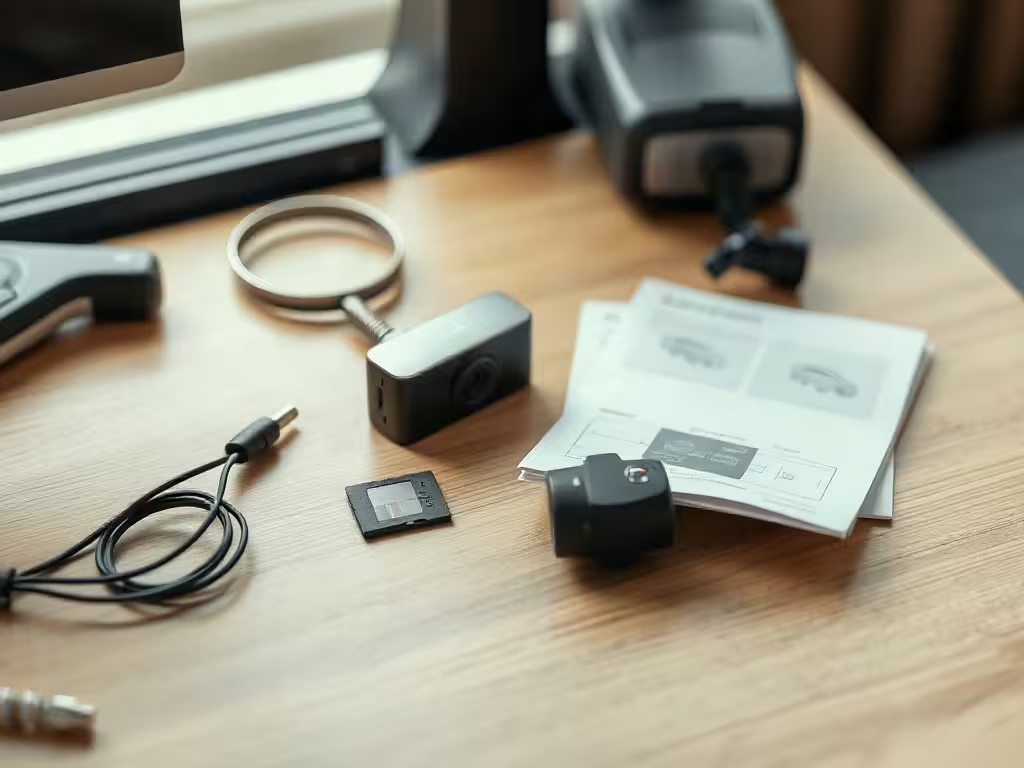 Check the Wi-Fi workflow
Verify the app, storage, and parking power
A lower price does not answer whether the app exports original files, which memory card is required, or how parking mode receives power after ignition-off.
App export
Memory card
Parking power
Check the Wi-Fi workflow
Verify the app, storage, and parking power
A lower price does not answer whether the app exports original files, which memory card is required, or how parking mode receives power after ignition-off.
App export
Memory card
Parking power
CamHandy was listed at $59.99 in the U.S. offer reviewed on October 9, 2026. Its seller emphasizes an on-device screen, front-facing Full HD recording, infrared night vision, loop recording, and parking monitoring. The available record does not establish representative real-world plate capture or long-term app reliability.
If the CamHandy feature set suits your needs, you can check the current CamHandy offer. Confirm the final bundle, shipping charge, memory-card inclusion, and return terms at checkout.
A practical test after delivery
Run the same short route during daylight and after dark. Include a moving car, a stop sign, a bright headlight, and a shaded section.
Then check whether you can:
- read relevant road details without relying on a paused marketing image;
- retrieve the original file through the app;
- identify the timestamp and recording channel;
- protect the clip from loop-recording overwrite;
- play the exported file on another device;
- explain how the camera receives power while parked.
Return the camera within the stated window if it fails the workflow you bought it to perform.
Which Wi-Fi dash cam should you choose?
Choose the product whose current documentation answers your storage, power, and retrieval questions. DashOne Pro currently has the lower listed single-unit price and a seller-described rear camera. CamHandy has a current direct offer and a seller-described on-device screen.
Neither product has enough independent evidence for us to promise nighttime plate capture, uninterrupted parking surveillance, or a particular legal outcome. A careful buyer should treat those capabilities as testable requirements rather than assumptions.
Before you buy Test the full retrieval path during the return window Confirm the bundle at checkout, then test pairing, original-file export, clip protection, and playback as soon as the camera arrives. Pairing Original-file export Clip protection
FAQ
Does a Wi-Fi dash cam need home Wi-Fi?
A Wi-Fi dash cam usually does not need home Wi-Fi. The camera normally creates its own local connection to your phone. Check the manual for the exact model because the setup process can differ.
Does Wi-Fi mean that footage is backed up automatically?
Wi-Fi usually does not back up footage automatically. Local Wi-Fi often supports viewing and manual downloads. Automatic remote backup generally requires a separate cloud or cellular feature.
Is a memory card included?
Bundle contents vary. Confirm inclusion, capacity, speed class, and endurance requirements on the current checkout page.
Can a Wi-Fi dash cam record while the car is off?
A Wi-Fi dash cam can record while the car is off only if it still receives suitable power and supports that recording mode. Verify the hardwire or always-on power requirements and battery protection before relying on parking mode.
Is DashOne Pro the same product as WiFi Dash Cam Pro?
The names can appear in overlapping marketing language, but buyers should not assume that every listing refers to the same hardware. Match the seller, model, specifications, package contents, and return policy before ordering.
This post may contain affiliate links. If you click them, I might earn a small commission (it costs you nothing and helps me keep shipping quality articles every day for your reading pleasure).